



Welcome to TileHub, a privacy-first minded community for sharing game tiles, specifically created for the purpose of adding homebrew tiles to hQuestBuilder.
Hi Everyone! I wanted to officially welcome you to the new Elvyler's Game Room. Come in and make yourself at home! To kick things off, I'd like to introduce you to a new service I've been working on with SquidgeMonster. I'd like to introduce you to TileHub.
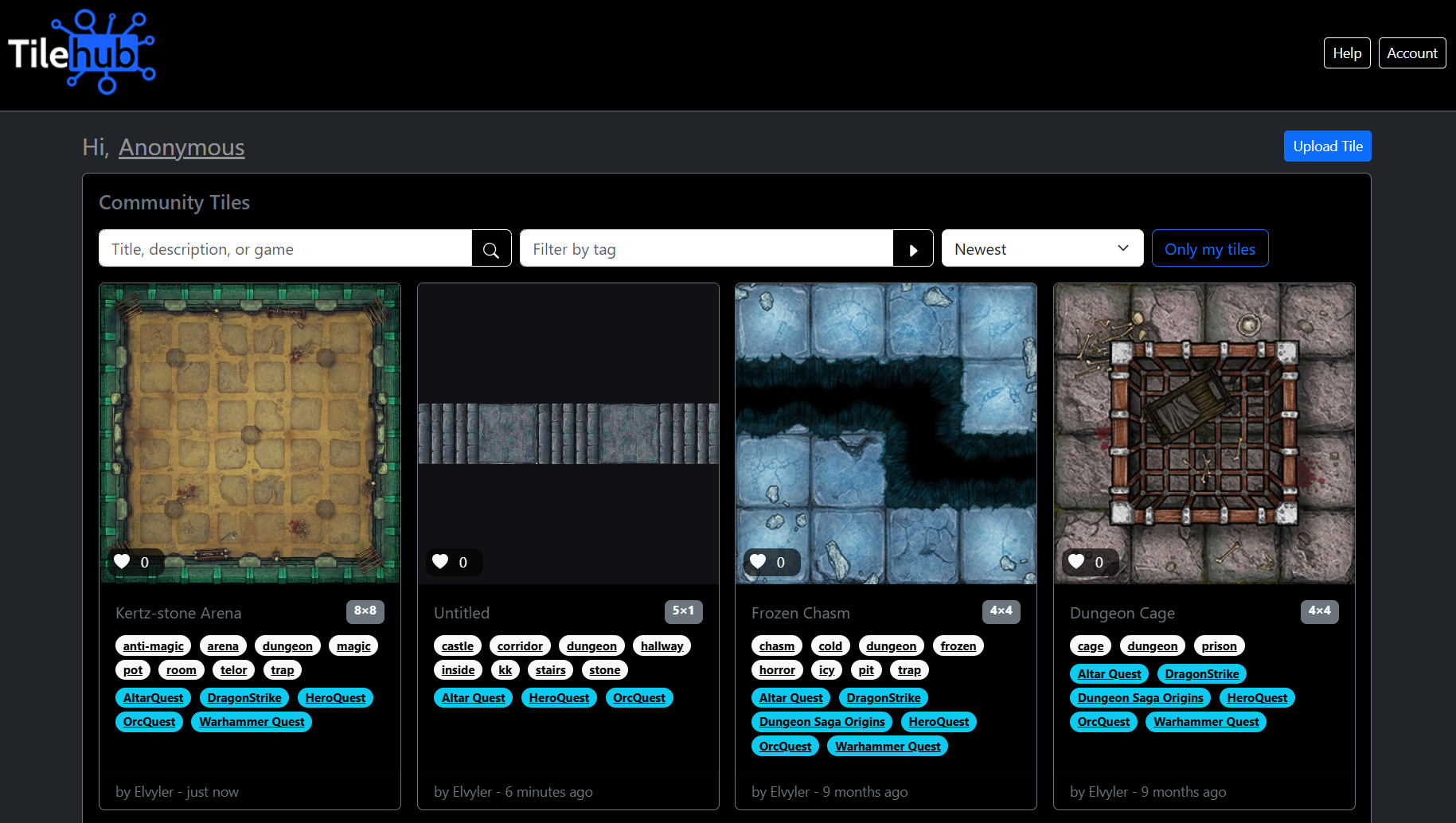
What is TileHub?
TileHub is a game tile sharing community that has a privacy-first mindset. This means there is no user account or sign up required to use TileHub.
TileHub was specifically designed to fill a need for users on hQuestBuilder who wanted to use homebrew tiles but didn't have a place to hoste or store them. Imgur used to be a good option for this, but due to some privacy related issues, that is no longer an option for a part of the community.
How does TileHub Work?
Lets go through the process of uplaoding your first tile and adding it to hQuestBuilder.
When you first get there, you'll notice that you are viewing the page as an "Anonymous" user. Right from the get go, you'll notice that you have an "Upload Tile" button available, and it works. You'll even see your newly uploaded tile added to the list, and you'll be able to delete it if you want to. This comes with a caveat. As an Anonymous visitor, you can manage your tiles, as long as your internet browser remembers the session. If you clear your cookies, browser data, anything like that, all of a sudden you won't be able to delete your tiles anymore! They'll be here forever. There's no way to know who you are or that the tiles belong to you without some sort of account.
For some people, this is just fine, the tiles can live there forever, they don't care. For others, they still want to be able to manage their tiles. Or, maybe they want to manage their tiles on another computer, or even your phone. There is a way, and it is still just as private. TileHub NEVER collects any personal or personally identifiable data from you, EVER.
It is possible to setup a private account. This is done through the use of private user ID instead of an email address or other identifyable information.
To Get start, click the "Account" button in the top corner or navigation. You'll see two options:
- Enter your Secret User ID - Use this if you already have an ID/Account created
- Show me my Secret User ID - Use this to Create your Account/User ID
What did that just say!? Do I already have a Secret User ID!? Well, if you have uploaded to the site or changed the name from Anonymous to anything else, then Yes, the site created an ID for those interactions, whether you want to use that ID to retain access to management features of the tiles you upload is up to you. The Secret User ID is not tied to any information about you, other than the tile you uploaded.

Once you've clicked the "Show me ny Secret User ID" button. Copy and paste that ID to a safe place, and do not share it with anyone! Anyone with this ID can login and manage your tiles!
Great, so we have an ID, now what?
Lets Upload a tile. Go ahead and click that "Upload Tile" button. This is where the magic happens! There are only 3 required fields here:
- The image file - There no point in being here if you're not picking an image to upload
- The tile size - We need to know what size your tile is, the grid size, this is especially important for uploading it to hQuestBuilder
- Agree to the terms of use and privacy policy. I encourage you to read these. Basically, you have permission to upload the images, you acknowledge that the tiles you upload may exist here forever, and if you lose your User ID, you lose access to being able to delete them, and you acknowledge that they may disappear at anytime, for any reason, no explanation given.
That last action would likely only happen is we found out that you didn't actually have permission to share the tile, and someone was able to prove ownership and asked us to take it down.
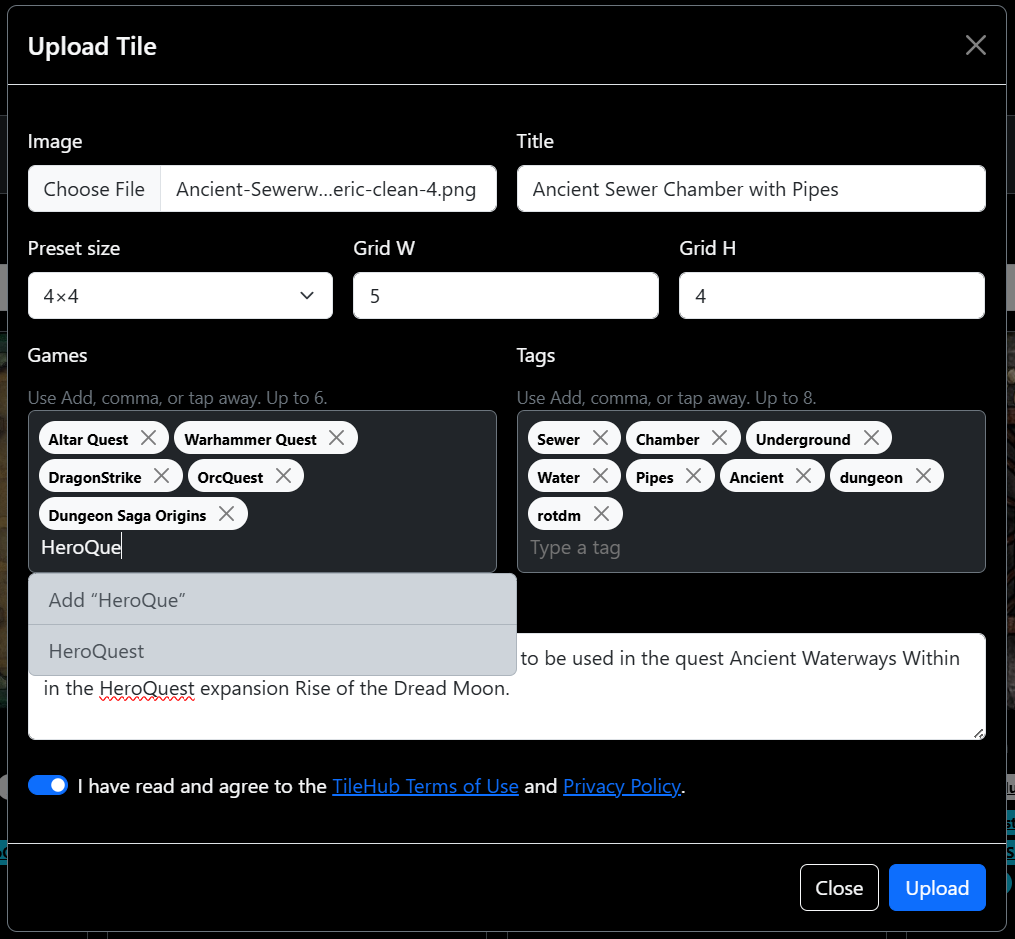
The other fields are optional, they're not required for using your tile on hQuestBuilder, but they are important for helping other people find your cool tile to use in their own game. So I encourage you to fill out as much information about the tile as possible.
Once you hit that upload button, a really cool loading bar happens and then poof, your tile appears in the queue.

You might notice a couple of things happen when you try to upload:
- You might get a captcha, this is to prevent non-humans from uploading things!
- You might hit a file size limit. If possible, try to keep your files under 3mb. I know that's a prett small limit for images, but storage ain't cheap and I am running this out of the goodness of my heart!
If you can help it, JPEG and WEBP ae the two best file types to use, PNG tends to get a bit on the large side. Luckily, there are a ton of free options out there for converting and compressing your file.
My Tile is There, Now What?
Lets get that tile into hQuestBuilder! When you hover over a tile, you'll see a few options:
- If the tile belongs to you, you'll see a delete option! Delete it if you want! If someone was using it in a quest, too bad for them!
- The next two: Copy a link, and Copy for hQuestBuilder

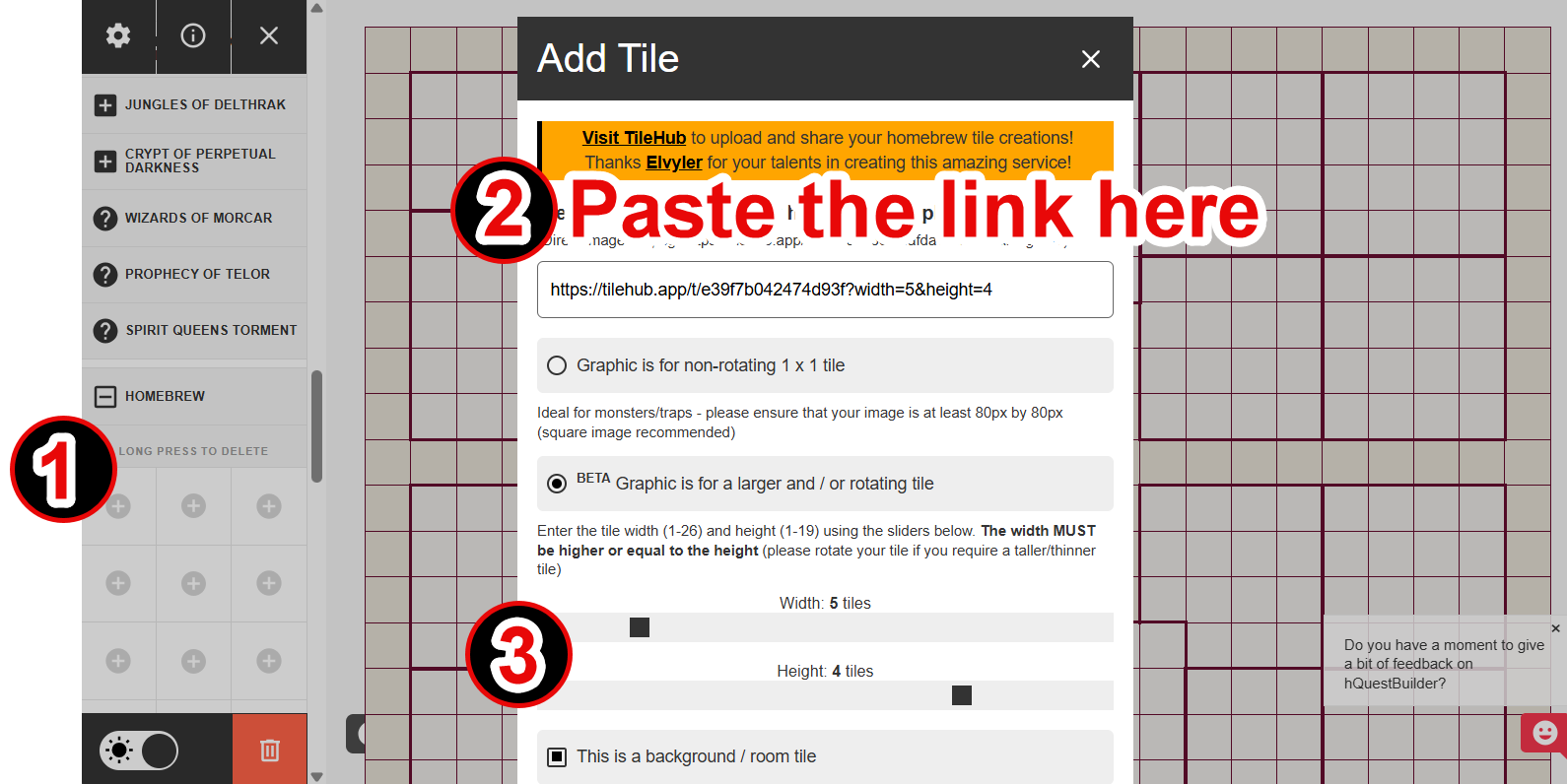
With the link copied, head on over to hQuestBuilder. Click the + button in the Homebrew section. In the pop up, paste the link you copied from TileHub. If it's a room tile, you'll need to select the proper options and make sure to remember how many spaces you tile has so you can configure them properly in hQuestBuilder.
Now you can add the tile to your board and happy questing!
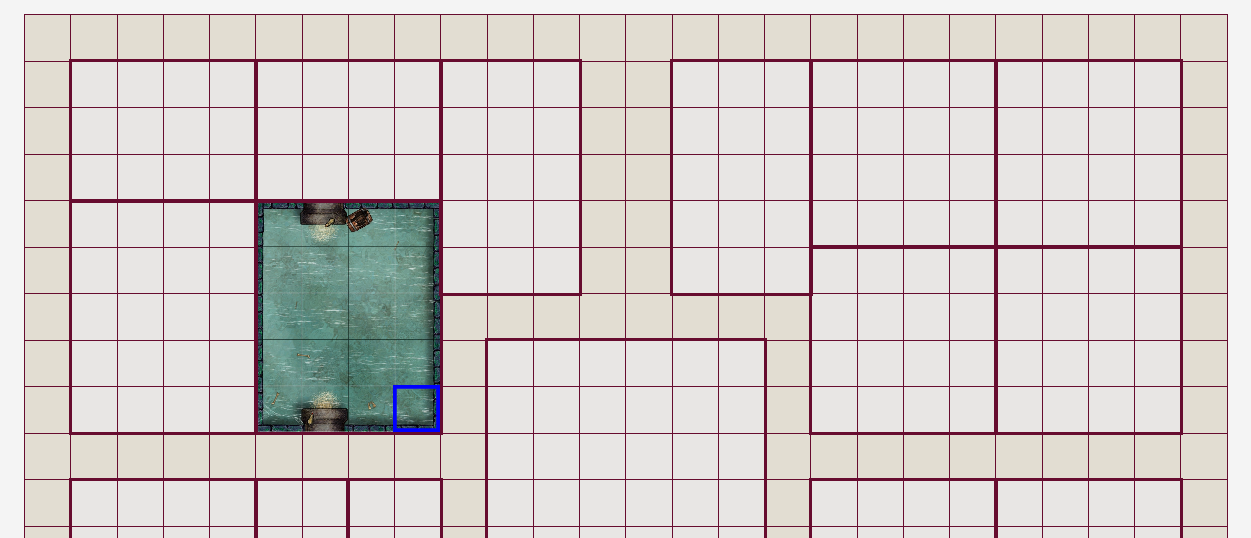
And that's the jist of it. Go fourth and tile thy dungeons!
Oh Wait! But There's More!
Yes! There's more. Not only can you upload tiles, and find tiles to add to your games, you can also interact with other's tiles!
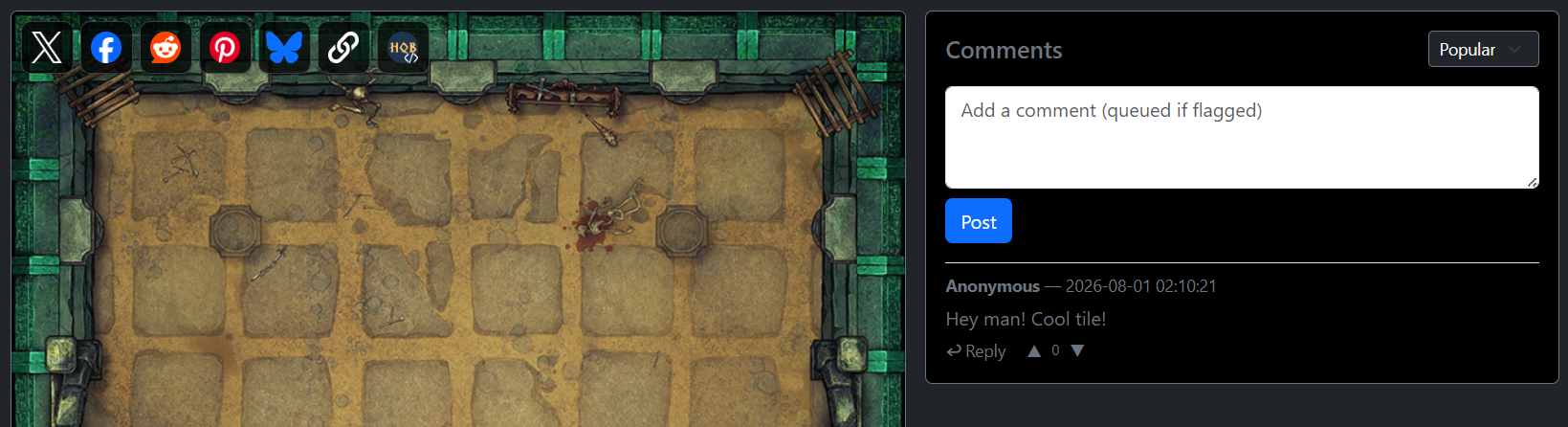
When you click a tile, you'll find even more sharing options, so you can tell everyone about the cool tiles you find. Not only that, you can comment and like your favourite tiles! Still while being completely private!
Support for the Creators!
I think I mentioned above something about "the goodness of our hearts..." or something along those lines! Neither SquidgeMonster or myself charge anything for these services. Both hQuestBuilder, and TileHub are free for anyone on the community to use.
Unfortunately, there is a cost to building, hosting, and maintaining these services. We would like nothing more than for these services to remain free for the community forever.
We hate to ask anything from the community, but if my wife finds out this actually costs me money to run... If you feel it in your heart to support our work, it would be greatly appreciated.
Now that's about it. Yeah, that's all you can do with TileHub!
Anyways, thanks for reading, hope to see you around the Game Room again soon!

Comments 0
No entries have been added yet. Be the first to leave a thoughtful response.
Add to the conversation
Comments are public. Guest comments may be reviewed before they appear.