
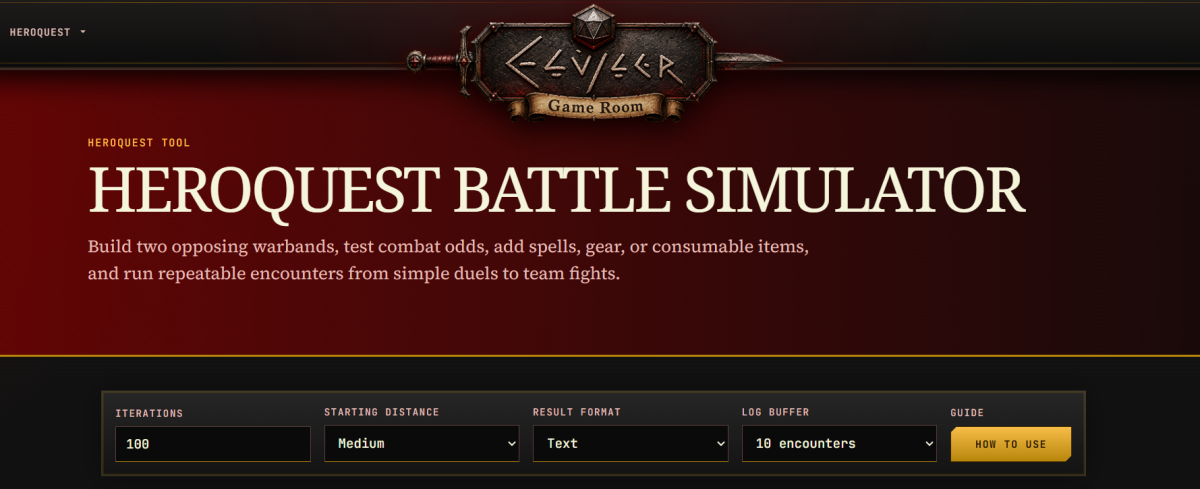
As work continues on the relaunch, I wanted to introduce, re-introduce?, no, introduce you to a new tool that will be available on August 1, 2026. It’s not technically a brand new tool, but it’s been updated enough that it might as well be.
Have you used the HeroQuest Battle Simulator Yet?
The original simulator was a fun way to pit characters up against each other in 1v1 combat using basic rules for HeroQuest combat. It allowed you to configure two combatants and run them through iterations of test battles to see who would be the most likely to survive.
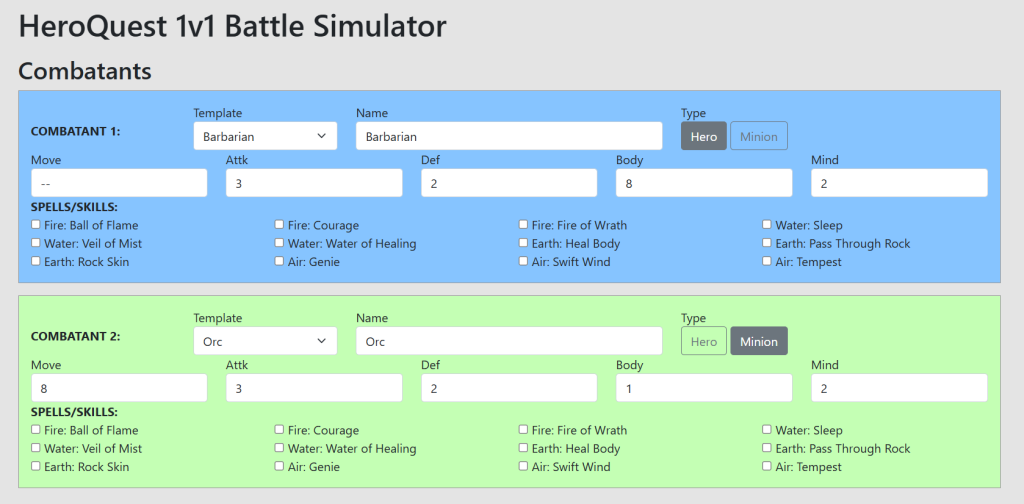
If you haven’t had a change to try it out, take a look at the Battle Simulator, the old version will still be available until August 1, after that, this link will take you to the new and improved version.
The simulator was useful at first, but it’s limitations quickly became apparent. For one thing, it barely supported spells. The Character options were very basic, and there was absolutely no instruction on how to use the program. The novelty has long worn off, it’s in dire need of an upgrade!
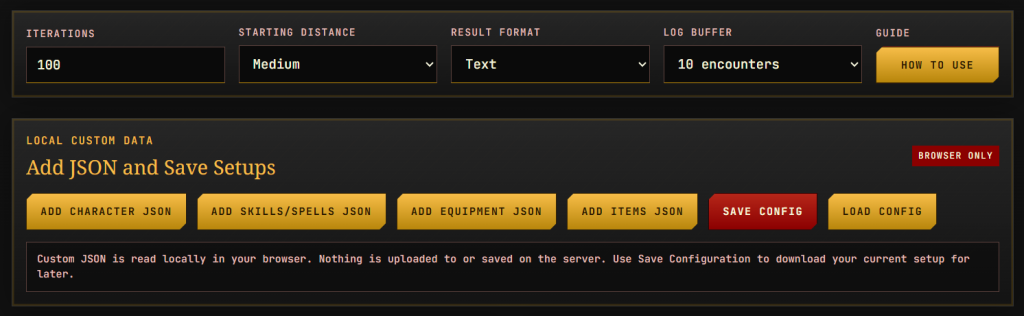
Well, I’m happy to announce that the HeroQuest Battle Simulator has been completely rebuilt from the ground up. Character controls have been improved, equipment and abilities now work properly, you can now load your own custom characters/spells/equipment/items, and save your configuration to a file to use again later.
More Flexible Character and Team Options
One of the biggest draw backs to the simulator: it could only simulate 1v1 combat. That’s now a thing of the past! Now you can pit teams against eachother:
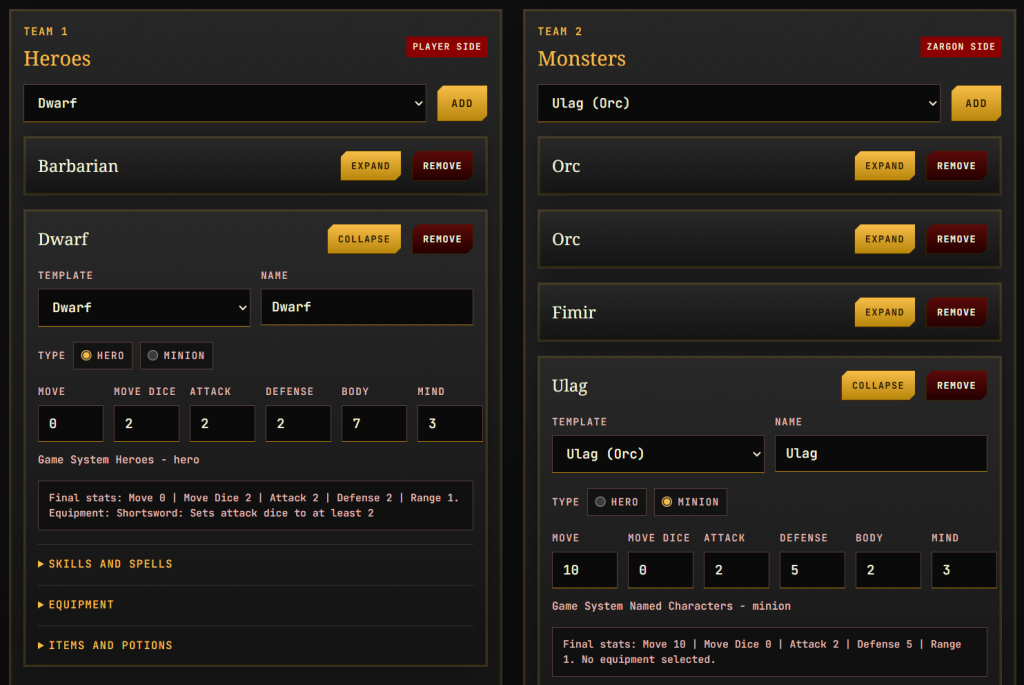
On top of that, every character has it’s own configuration options. And these options are really flexible. Want a Barbarian who can cast Fire of Wrath on his enemies? Go for it. There are no restrictions, so you can test your own homebrew combinations.
More Speed and Efficiency
Another issue with the old simulator: speed, especially when running large number of iterations. The performance of the simulator has been greatly improved. This has been accomplished through the use of log buffers, you can set this between 10 and 50. This setting tells the program how many simulations to run at a time.
The previous simulator ran each simulation back to back, causing a bottleneck when running high numbers of iterations. On the new simulator, I just ran 10,000 iterations and it completed in less than a minute! The old program would have been sitting there for a lot longer thinking about it.
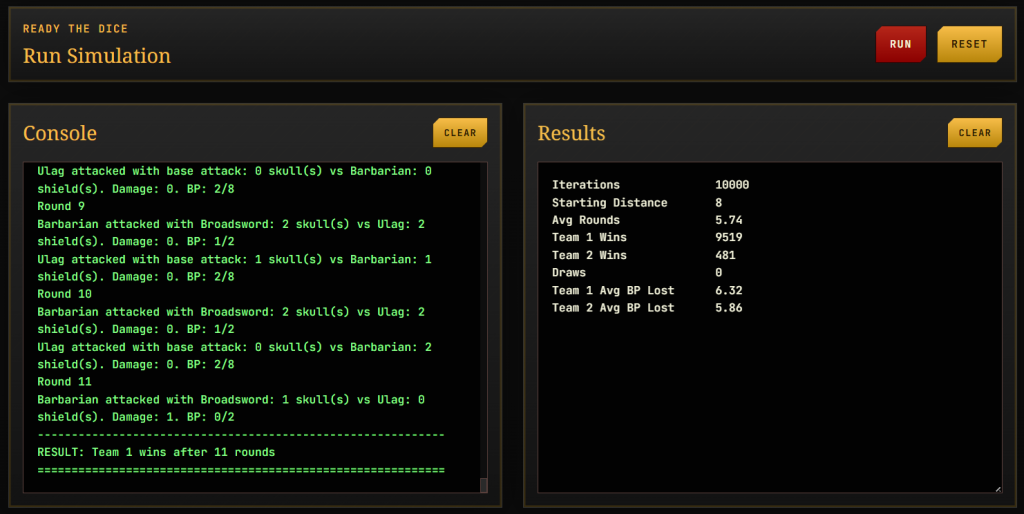
Something to keep in mind though: higher log buffer equals more system resource use. The simulator runs completely in your browser, so it’s using your device to run the calculations. Not a problem if you’re running a powerful machine, but if your already lacking in system resources, there might be an issue.
Anyways, I won’t bore you with all the little details that went into building this program. The rebuilt simulator will be available when Elvyler’s Game Room relaunches on August 1, 2026.
Prepare your heroes! I hope to see you again soon!
-
Introducing the New and Improved HeroQuest Battle Simulator
Deeper character setup, custom content, saved configurations, and faster battle results.
-
A Safer Way to Access Downloads
Introducing a simpler and more private Download Library from Elvyler Game Studios.
-
Changes are Coming to the Game Room
The Game Room has been quiet for too long. Changes are on the way!